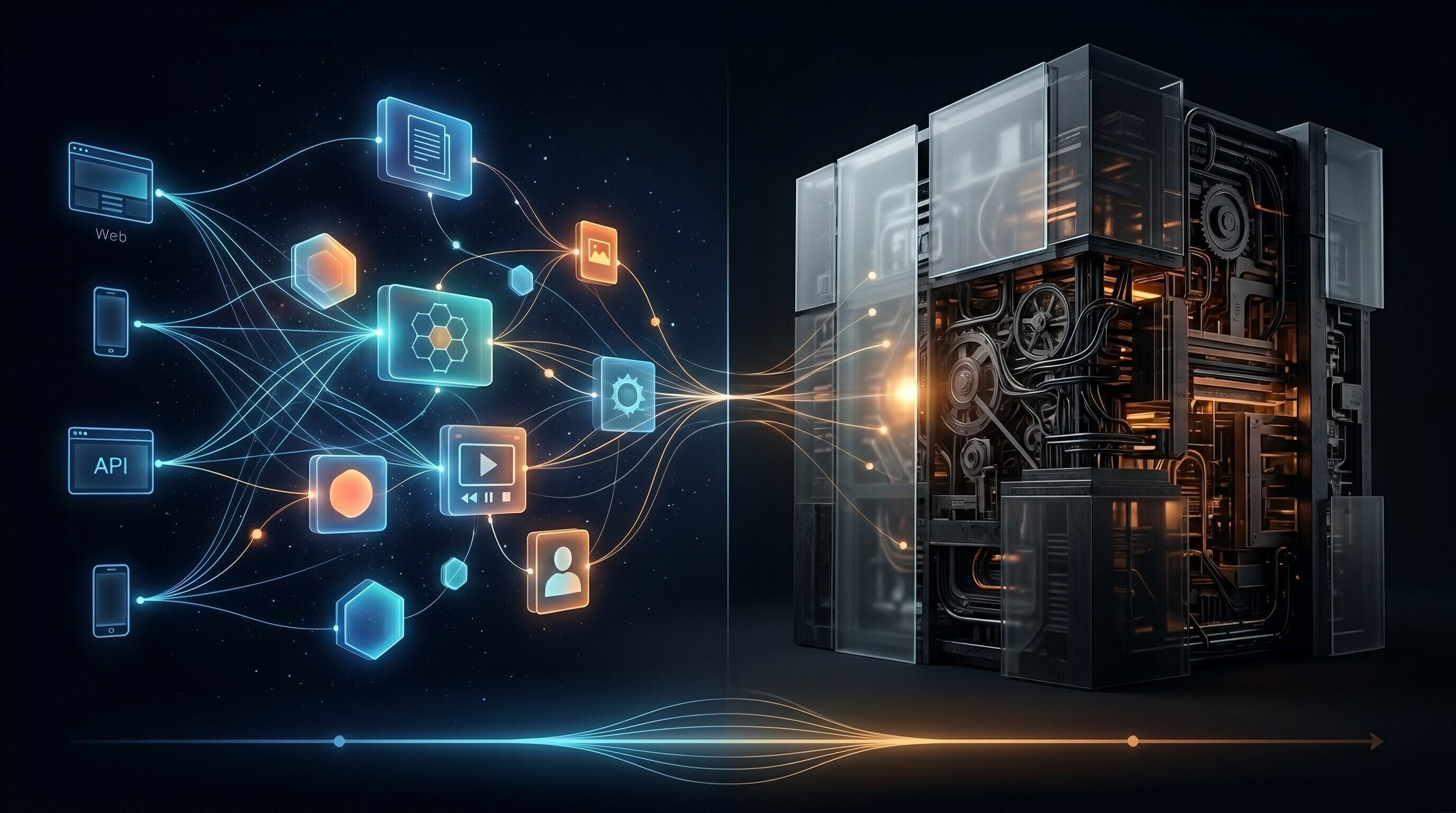
The CMS Landscape Has Changed Fundamentally
After 16 years of building websites — from custom PHP templates to WordPress at scale to modern headless architectures — I've watched the CMS landscape transform completely. The conversation has shifted from "WordPress or Drupal?" to "headless or traditional?" But the reality is far more nuanced than the marketing suggests.
Monolithic CMS platforms like WordPress still power over 40% of the web. They're battle-tested, well-understood, and cheap to host. Headless solutions like Strapi, Sanity, and Contentful offer flexibility and a modern developer experience. But choosing between them isn't about which is "better" — it's about understanding the trade-offs in the context of your project.
#1 The Monolith: Strengths and Hidden Costs
WordPress and similar monolithic CMS platforms couple content, presentation, and delivery into a single system. This coupling is both their greatest strength and their biggest liability.
When Monoliths Win
Monolithic CMS platforms are the right choice when:
- Content editors need full control over layout and presentation
- The team is small and doesn't include dedicated frontend developers
- Budget and timeline are tight — WordPress can have a site live in days
- SEO and content management workflows are well-established
- The site is content-heavy with standard templates (blogs, news, documentation)
// WordPress remains powerful with proper optimization
define('WP_CACHE', true);
define('COMPRESS_CSS', true);
define('COMPRESS_SCRIPTS', true);
define('ENFORCE_GZIP', true);

// Object caching with Redis
define('WP_REDIS_HOST', '127.0.0.1');
define('WP_REDIS_PORT', 6379);
The Hidden Costs of Monoliths
Over 16 years, I've seen the same problems emerge repeatedly with monolithic CMS platforms:
- Plugin sprawl: 20+ plugins become a maintenance and security nightmare
- Performance ceiling: Theme-based rendering can't compete with static generation
- Scaling difficulties: Database-driven rendering struggles under traffic spikes
- Frontend lock-in: Themes tightly couple design to the CMS, making redesigns expensive
- Security surface: Every plugin is an attack vector (60% of WordPress vulnerabilities come from plugins)
- Best for: content-first teams, tight budgets, standard site templates
- Worst for: multi-platform delivery, high-performance requirements, complex UIs
#2 Going Headless: The Promise and The Reality
Headless CMS separates content management from content delivery. You manage content in one system and consume it via API in any frontend — React, mobile apps, digital signage, anything.
The Real Benefits
Headless architectures genuinely shine in several areas:
- Frontend freedom: Use any framework — Next.js, Astro, SvelteKit — without CMS constraints
- Multi-channel delivery: One content source, many outputs (web, mobile, email, IoT)
- Performance: Static generation + CDN + edge computing = near-instant page loads
- Developer experience: Modern tooling, TypeScript, git-based workflows
- Security: No public-facing CMS = smaller attack surface
// Clean, typed API consumption with a headless CMS
interface Article {
  id: string;
  title: string;
  content: string;
  publishedAt: string;
  author: { name: string; avatar: string };
}

export async function getArticles(): Promise<Article[]> {
  const res = await fetch(
    `${process.env.CMS_API_URL}/articles?status=published`,
    {
      headers: {
        Authorization: `Bearer ${process.env.CMS_API_TOKEN}`,
      },
      next: { revalidate: 60 }, // ISR: revalidate every 60 seconds
    }
  );

  if (!res.ok) throw new Error('Failed to fetch articles');
  return res.json();
}
The Hidden Costs of Headless
The headless approach isn't free. In fact, the total cost of ownership often surprises teams:
- Complexity: You're now maintaining two systems — a CMS and a frontend application
- Content preview: WYSIWYG preview requires custom implementation (draft mode, webhooks)
- Editorial workflow: Content editors lose the familiar 'click and edit' experience
- Infrastructure: Hosting, CDN, build pipelines, and API costs add up
- Vendor lock-in: Proprietary headless CMS platforms have their own lock-in (content model migration is painful)
- Best for: multi-platform teams, performance-critical projects, complex UIs
- Worst for: small teams, content-editor-driven sites, tight budgets without dev resources
#3 The Middle Ground: Hybrid Architectures
The best solution for many projects isn't purely headless or purely monolithic — it's a hybrid that leverages the strengths of both.
WordPress as a Headless Backend
WordPress with its REST API or WPGraphQL plugin can serve as a familiar, powerful headless backend while you build a modern frontend with Next.js.
// Use WordPress as a headless CMS with Next.js
const WP_API = process.env.WORDPRESS_API_URL;

export async function getPosts() {
  const res = await fetch(
    `${WP_API}/wp-json/wp/v2/posts?_embed&per_page=10`,
    { next: { revalidate: 300 } } // Revalidate every 5 minutes
  );
  return res.json();
}

export async function getPostBySlug(slug: string) {
  const res = await fetch(
    `${WP_API}/wp-json/wp/v2/posts?slug=${slug}&_embed`,
    { next: { revalidate: 60 } }
  );
  const posts = await res.json();
  return posts[0] ?? null;
}
This gives content editors the WordPress experience they know while developers get a modern React frontend with all the performance benefits of static generation and edge rendering.
- Familiar editing experience for content teams
- Modern, high-performance frontend with Next.js
- Incremental migration path: move to headless at your own pace
- Leverage existing WordPress plugins and ecosystem
Decision Framework: How to Choose
After building dozens of projects on both architectures, here's the framework I use to make the decision:
- Team composition: If you have dedicated frontend developers → headless. If it's a content team → monolith.
- Delivery channels: If content goes to more than one platform → headless. Web only → either works.
- Performance requirements: If Core Web Vitals are critical to business → headless with static generation.
- Content workflow: If editors need real-time preview and visual editing → monolith or hybrid.
- Budget: If infrastructure budget is limited → monolith. If developer time is the bottleneck → headless.
- Timeline: If you need something live in weeks → monolith. If you're building for the long term → headless.
Key Takeaways
- 1Neither headless nor monolithic is universally 'better' — context drives the decision
- 2Monoliths excel when content editors drive the workflow and budgets are tight
- 3Headless architectures win on performance, multi-channel delivery, and developer experience
- 4Hybrid approaches (WordPress + Next.js) can combine the best of both worlds
- 5The total cost of headless is higher than it appears — factor in preview, editorial UX, and infrastructure
- 6Choose based on your team's skills, delivery requirements, and long-term maintenance capacity